Make the scenes you imagine—AI does the heavy lifting
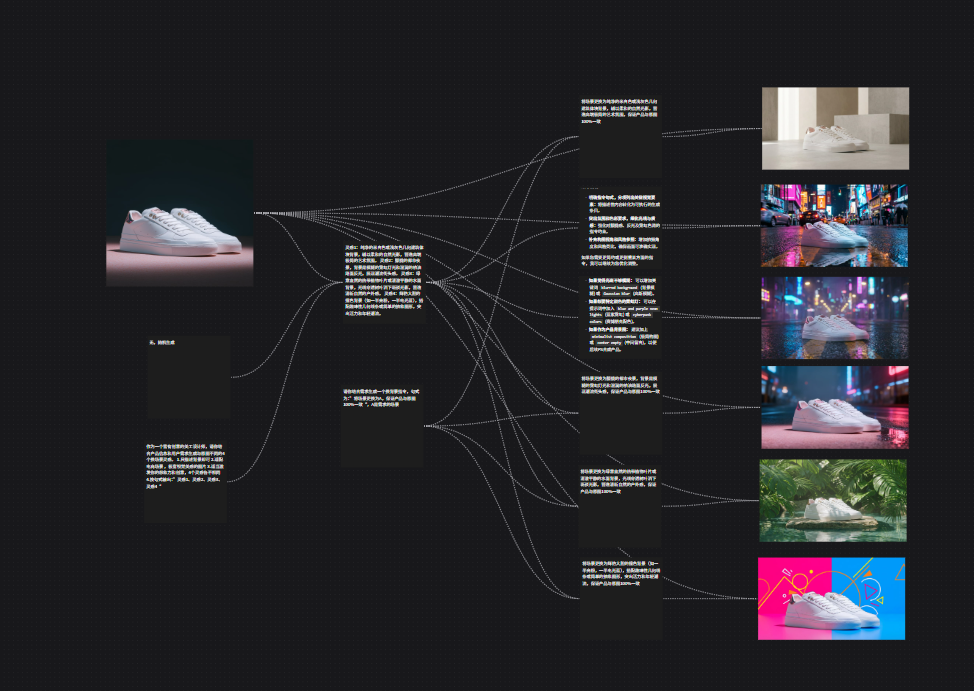
Put your ideas, scripts, images, video, and audio on one big board. Write a sentence, and AI builds the assets for you. From spark to finished cut—no more juggling a dozen tools.
Which kind of creator are you?
Whether you're new or seasoned, spend your time on ideas—not on tools.
I make short videos / social content
Brainstorm, script, visuals, and voice—all in one place. Even a one-person crew can ship a finished piece without bouncing between apps.
I make ads / brand content
Client wants three rounds? Tweak it in one place and everyone sees the new version instantly. No more emailing files around.
I make animation / shorts / film
Before you commit to a shoot, build an AI rough cut: storyboards, key frames, mood reels. Show your team and client the feel before you spend on production.
What it does for you
It folds scattered tools into one visual workspace.
See the whole creative flow on one screen
Every step from idea to final cut is laid out on the same board: copy here, image there, voice over there. No more digging through a dozen browser tabs.
Edit text, image, video, and audio together
Change one line and let the visuals and voice regenerate around it. No more copy-pasting between tools while the idea cools off.
Switch AI engines in one click
Want better visuals today and faster speed tomorrow? Swap the engine right on the card. No rebuild, no migration.
Download what you make and use it
Images, video, and audio can be downloaded the moment they're done—ready to edit, post, or hand off.
Three steps from idea to finished cut
Describe what you want in plain language—AI handles the rest.
Drop a few cards and connect them
Pick the kind of card you need: text, image, video, voice, or a reference file. Draw a line to tell AI what feeds what.
Tell it what you want, in plain words
Just write your idea—e.g. "a cyberpunk city at night, neon, cool tones." No parameters, no jargon to learn.
Run it, see the result, tweak and try again
Hit run and watch the visuals, video, and audio roll in. Keep what you love, rewrite a sentence for what you don't, and iterate until it's right.
Five kinds of assets, all on one board
No more bouncing between tools—everything lives on the same canvas.
Text (scripts, copy, notes)
- Keep scripts, shot notes, and revisions on a single card—no more hunting through documents.
- Pick the AI that fits the moment: stronger ones for ideas, faster ones for speed.
Image (key frames, concept art)
- Generate several options at once and keep what feels right—skip the endless reroll loop.
- Connect a still to a video card to make it move, or just download it for use elsewhere.
Video (shots, short clips)
- Turn stills into moving shots and compare multiple takes side by side.
- Preview in place, download to your machine, and finish in your own editor.
Audio (VO, narration, music)
- Build dialogue, narration, music, and SFX alongside your visuals—not after the cut.
- Different AIs are good at different things: some at voice, some at music. Pick what fits.
Files (scripts, sheets, PDFs)
- Drag in your existing scripts, references, and PDFs and let AI pick up from there.
- Common formats only, so uploads stay clean and predictable.
About Dreamat
Work with AI—make creating feel light again.
Dreamat is an AI workspace for film, ads, and content teams. We're not just another AI tool—we're the shared board where directors, strategists, designers, and writers can lay everything out, align on what they're making, and move forward together.
Mission: let anyone with an idea bring scenes to life as naturally as sketching a storyboard.
Buy credits
FAQ
Still have questions? Reach us through the links at the bottom of the page.
Open a board and try it now
Free to sign up. You'll be running your first creative flow in minutes.